Create an Elevator Pitch With the IndigoPathway Survey

Follow the steps below to create a compelling elevator pitch to summarize your strengths using your IndigoPathway survey results.
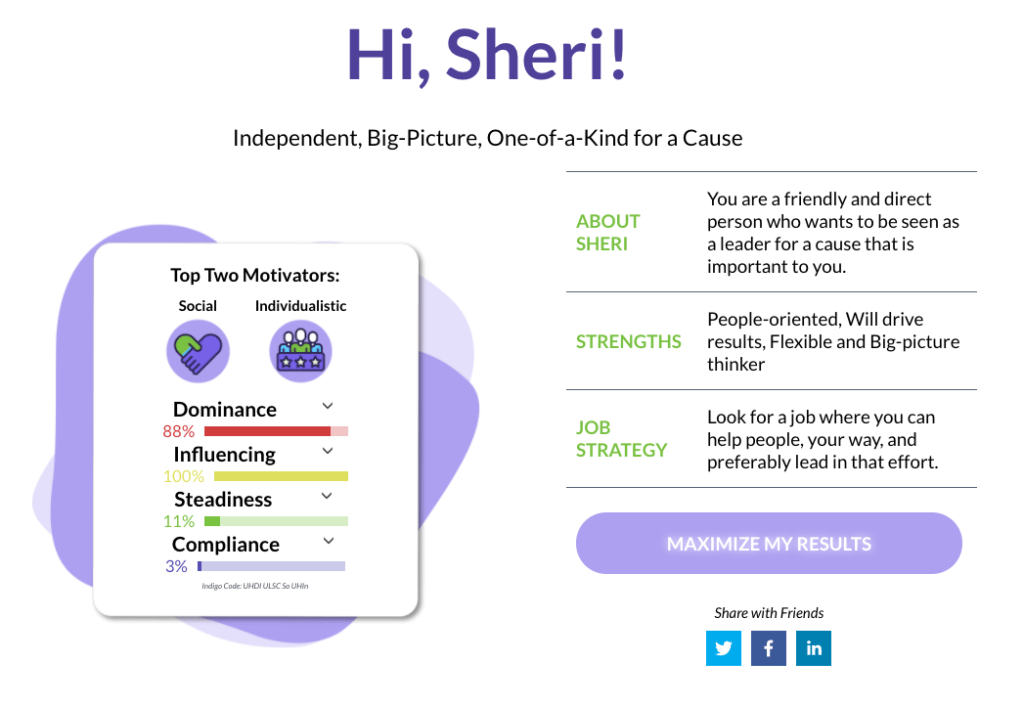
1. Review Your Sub-Title
Write down the statement under your name on the results tab.

2. Add something from “About Me”
Jot down any words or phrases from your “About Me” section you’d like to add to your summary.

3. Add Strengths
Grab some of the adjectives from your “Strengths” section to create a second sentence starting with, “My strengths are…” Feel free to add some of your top skills too like creativity, organization, leadership, customer service, or management.

4. Finish with Job Strategy
End your summary statement with text from the job strategy section. “I am looking for a job where…” is a great way to start this sentence. To really up your game, customize your statement for each job you apply to, describing how you are an excellent candidate for the specific role.

5. Check out your IndigoPathway Personalized Recommendations
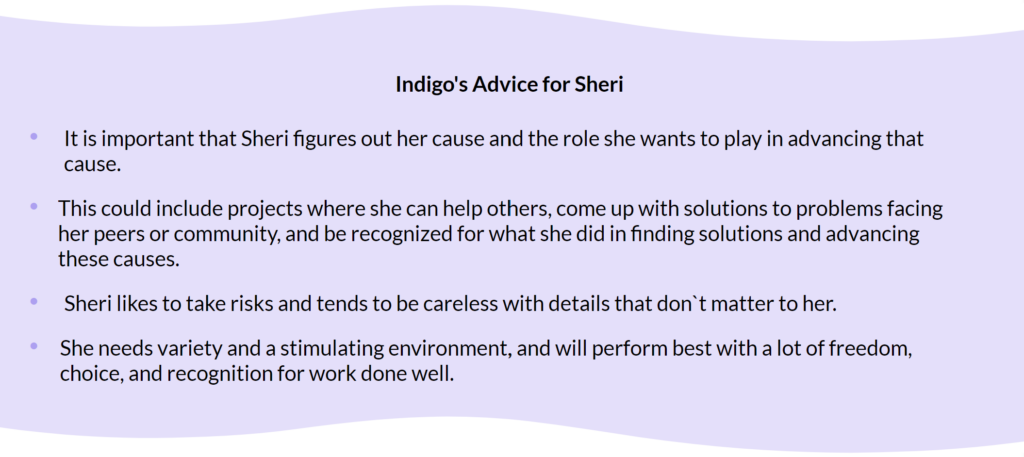
Scroll to the bottom of your results page and review your Personalized Insights. Look for tips that you want to remember when searching for a job or selecting an employer. These phrases can also be useful on your resume or during job interviews. Use these phrases to ask questions to understand if the role is a good fit for you.
6. Finishing Touches
Now, refine your statement to reflect your authentic voice. Add personal touches that resonate with you to ensure it sounds genuine.
7. Get Feedback
Consider seeking feedback from a trusted friend, mentor, high school counselor, or local workforce center. Have someone review your statement and full resume and suggest any necessary edits.


Comments